


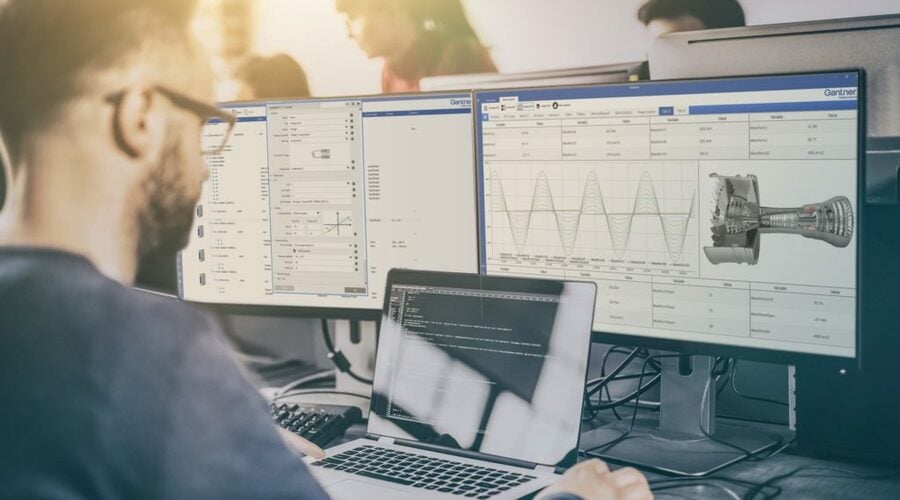
Dashboards are visual translations of data. Modern data dashboards allow engineers to monitor, analyze and react to any measurement data in real-time, regardless of the data volume, transforming data into insight.
And now you can create your data dashboards with GI.bench! Follow these three simple steps to get the most from your GI.bench dashboard.
Step 1: Create a Custom Dashboard with Drag & Drop Widgets
Before creating a dashboard, you need to create or open a GI.bench project with a connected Q.controller. Go to the dashboard under the Data Acquisition tab and select the hamburger button in the top left corner to open the dashboard designer.
Now you can start creating your dashboard and organize it any way that you prefer: drag & drop charts and graphic elements to the canvas. For your convenience, snap to object precisely arranges the charts or graphic elements by aligning them to existing elements on your canvas. Once you have created the layout, you can add the measurement variables to your dashboard by drag & dropping them to the predestined element.
Tip: To make the data in your dashboard more tangible, add a Dynamic Image widget and pick an image from the media library. When placing the image on your dashboard’s background layer, you can overlay your image with widgets like LEDs, gages, or numerical displays in the foreground.
Step 2: Fine-Tune Your Dashboard for Fast Data Analysis
Dashboards should present data in a quick, easy-to-scan format with the most relevant information understandable at a glance. In the GI.bench dashboard, charts and graphic elements are individually configurable to make an effective dashboard display.
In a chart, click the gear icon in the upper right-hand corner to open the Settings menu. Here you can configure the chart axes, colors, and zoom behavior. You can select two types of cursors; the tooltip will show the live value of the data set when you hover over them, and a marker adds two vertical sliders to compare the difference between two data sets in the chart. In graphical elements like LED, gage, or bar chart, you can configure color ranges. Color ranges allow you to set up predefined colors for individual ranges of measurement values as an additional visual cue for the user.
New feature: GI.bench v1.10.0 introduces chart linking, an easy way to visualize the relationship between measurement data spread across different charts in your dashboard. With the chart link feature, you can synchronize actions for multiple charts in your dashboard. You can group charts to zoom, pan, or use the tooltips and markers across multiple graphs at the same time to make it easier for you to get actionable insights into your measurement data.
When you are done editing your dashboard, click on the cross button in the top left corner to leave the dashboard designer mode. GI.bench will automatically save your dashboard as part of the project. You are all set to go!
Step 3: Share Your Dashboard Online
With our online dashboard functionality, you don’t have to be near your data acquisition system to monitor your measurement data. With the built-in web server, you can easily share your GI.bench dashboard with a team of engineers or even your customer.
Enter the computer’s IP address running the GI.bench software in your preferred web browser and add port number 8090 (e.g., 192.168.178.152:8090).
For online dashboard monitoring with a mobile device, click “Show QR code” in the left pane menu and select the applicable network interface. It doesn’t get more straightforward than this!
More articles
Long term Volcano Monitoring – A field study
Monitoring volcano activity is an important issue in the mitigation of natural hazards. Recently, most fatal issues occurred on volcanoes with low-energy and moderate activity, making them attractive touristic places (e.g., the 2014 Mount Ontake eruption in Japan). For these types of volcanoes, monitoring involves multiphysics measurements on dense networks. Distributed networks of sensors must be easily adapted to the volcano’s evolving state and the appearance of new active areas like fumaroles or high heat flux in the soil.
Read more...GI.training in NRW in May 2026
We will be in North Rhine-Westphalia for the GI.basic training on May 12, 2026, and for the GI.professional training on May 13, 2026.
Read more...Gantner Instruments Presents Cryogenic Measurement Solutions for Hydrogen Technology
Hydrogen systems are a steadily growing field encompassing several technologies, such as liquefied hydrogen storage tanks, fuel cells, and cryogenic engines. These require meticulous temperature monitoring to ensure system integrity and performance. Operating in these low-temperature environments presents unique challenges, such as thermal contraction of materials, sensor self-heating, and the non-linearity of cryogenic sensors. Without accurate measurement, performance degradation and potential system failures become risks.
Read more...Historic Ship, Modern Protection: Real-Time Force Monitoring Stabilizes Sweden’s Vasa Warship
The Vasa Museum in Stockholm houses Vasa, a 17th-century Swedish warship raised from the seabed in 1961. Almost completely preserved, she is both a cultural icon and a full-scale research platform for naval architecture, materials science, and maritime archaeology. But preserving a 400-year-old oak hull on land poses a critical structural challenge: without buoyancy, the ship’s weight is carried through discrete support points, and slow deformation has already been detected. To protect Vasa for future generations, the museum is replacing the original display cradle with an adjustable steel support system equipped with a real-time force monitoring and long-term structural health monitoring (SHM) solution.
Read more...